01 — Industry Project

Beyond the
Prompt

A case study on AI's role in product ownership workflows — what current agentic tools actually deliver, and where the critical gaps remain.

Industry Project 2 months AI Research Enterprise SaaS
Bosch Internship Project

Conducted during my UI/UX internship at Bosch Global Software Technologies, within the Power Tools division.

Disclaimer

This research was conducted during September–October 2025. As the study evaluates the evolving capabilities and limitations of AI systems, the observations and findings presented are inherently time-sensitive and may shift as these technologies continue to develop.
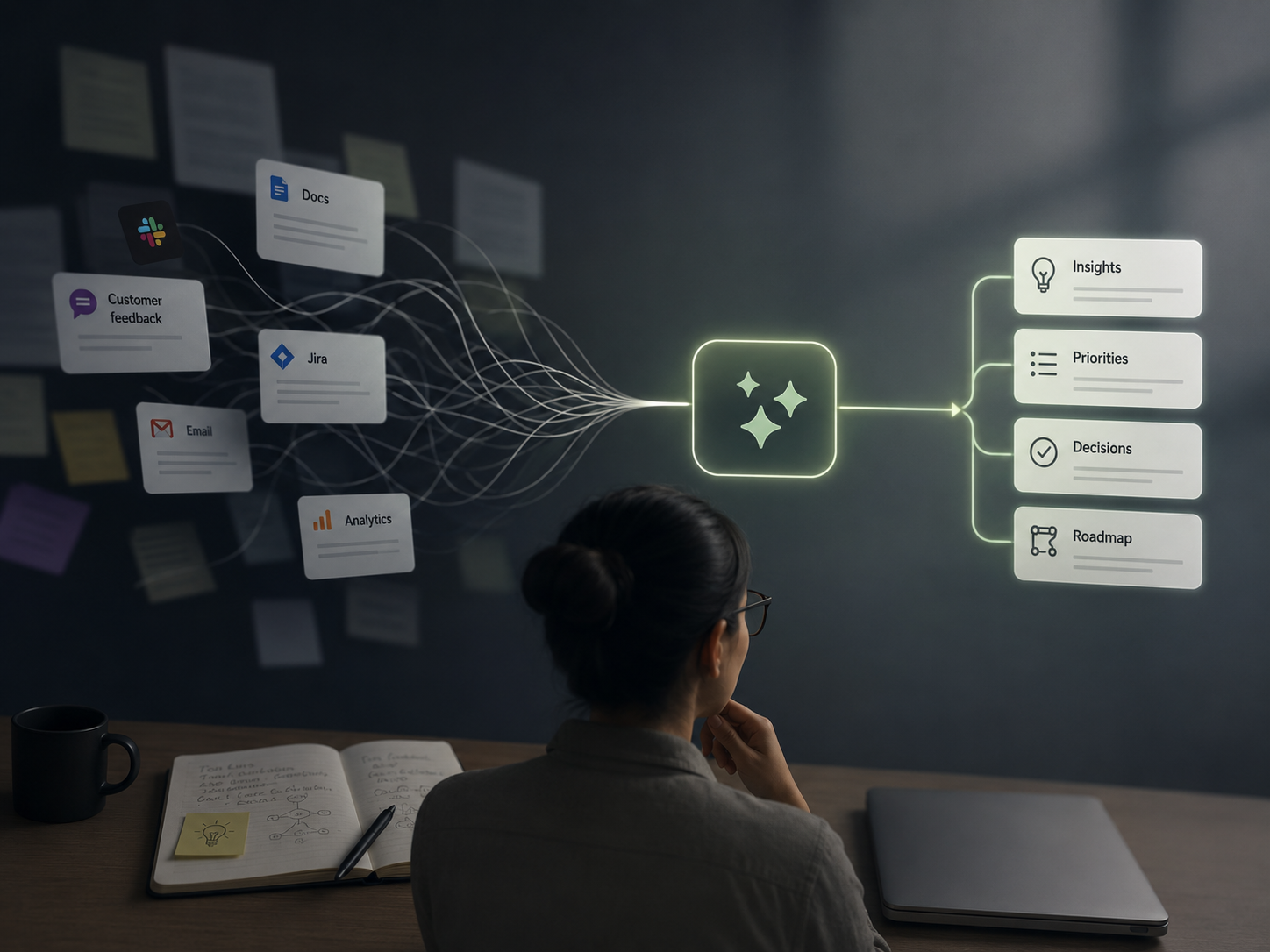
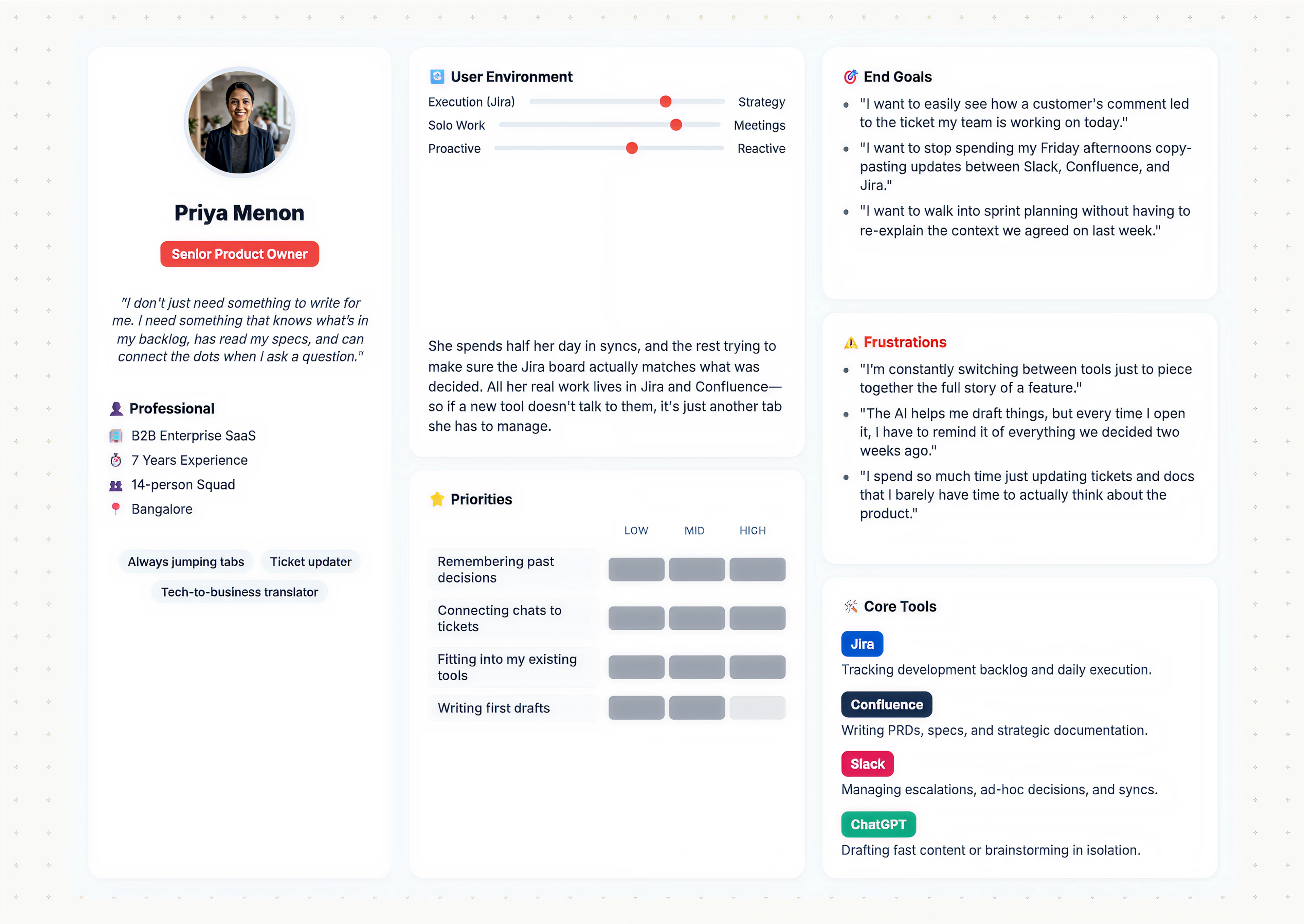
Illustration of a product owner at her desk reviewing AI-synthesized insights, priorities, decisions, and roadmap items drawn together from scattered tools like docs, chat, email, and analytics
01 — Purpose

What do Product Owners actually need AI to do?

Product Owners face constant pressure to ship faster, communicate clearly, and stay ahead of blockers — all while context-switching across tools, teams, and stakeholders.

This research set out to understand what POs actually need from AI, what tools exist today, and how well those tools address real pain points in the product management lifecycle.

Research Question

"How well do current agentic AI tools meet the evolving needs of Product Owners — and where do the critical gaps lie?"

02 — Process

Eight weeks, four methods

Week 1–2
Research Planning
& Scoping
Week 3–4
Secondary
Research
Week 5–6
Exploratory
Interviews
Week 7
Tool
Deep-Dives
Week 8
Synthesis &
Comparison
Research Methods
Method 01
Secondary Research

Studied existing AI product management tools, whitepapers, product documentation, and use case libraries across 6 major platforms.

Method 02
Exploratory Interviews

Conducted semi-structured interviews with POs to understand their daily workflows, blockers, and expectations from AI assistance.

Method 03
Tool Walkthroughs

Hands-on evaluation of each AI platform — testing real product scenarios to observe capability gaps and strengths first-hand.

Method 04
Comparative Analysis

Built a structured comparison matrix scoring each tool across 8 dimensions relevant to PO workflows.

Area of Inquiry

Three core dimensions guided every interview and tool evaluation. Every insight maps back to one of these areas.

01
AI Capability Gaps
What tasks POs wish AI could do but current tools can't.
02
Workflow Integration
How AI fits (or doesn't) into existing tool stacks and daily rituals.
03
Trust & Adoption Barriers
What prevents POs from relying on AI outputs for critical decisions.
03 — The User

Who this research was built around

The research centred on a specific archetype — the senior Product Owner embedded in an enterprise SaaS environment, managing a cross-functional squad and spending the majority of their day bridging execution and strategy across disconnected tools.

User Persona: Priya Menon, Senior Product Owner. B2B Enterprise SaaS, 7 years experience, 14-person squad, Bangalore. Quote: 'I don't just need something to write for me. I need something that knows what's in my backlog, has read my specs, and can connect the dots when I ask a question.' Spends half her day in syncs and the rest ensuring the Jira board matches decisions made. Core tools: Jira, Confluence, Slack, ChatGPT. Top priorities: remembering past decisions, connecting chats to tickets. Frustrations: constant tool-switching, AI that forgets context every session.
04 — Secondary Research

What emerged from exploratory research

Secondary research and early interviews revealed a consistent split: AI was being used productively for drafting and summarisation, but consistently failed the moment it needed to operate across sessions, tools, or strategic decisions.

What AI is used for today
  • Writing user stories and acceptance criteria
  • Summarising feedback and stakeholder updates
  • Basic task automation within workflows
  • Drafting documentation and release notes
Where it consistently fails
  • Lack of persistent context across sessions
  • Outputs not grounded in actual product data
  • Limited support for prioritisation and decision-making
These patterns indicate where AI is currently useful — and where it begins to break in real product workflows.
05 — Synthesis

How these patterns were interpreted

We synthesised the raw observations using the analytical structure defined in our area of inquiry. Each observation was examined through three lenses:

What it means
What each observation reveals about AI's current limitations
Example
How it manifests in real Product Owner workflows
PO Lens
How it impacts decision-making, not just execution
Capability gaps Workflow integration Trust & adoption
These interpretations led to five core insights — not about features, but about how AI aligns (or fails to align) with product thinking.
06 — Insights

Five insights about AI in product workflows

Each insight is grounded in direct participant quotes and rephrased as a How Might We question that defines the design opportunity it opens.

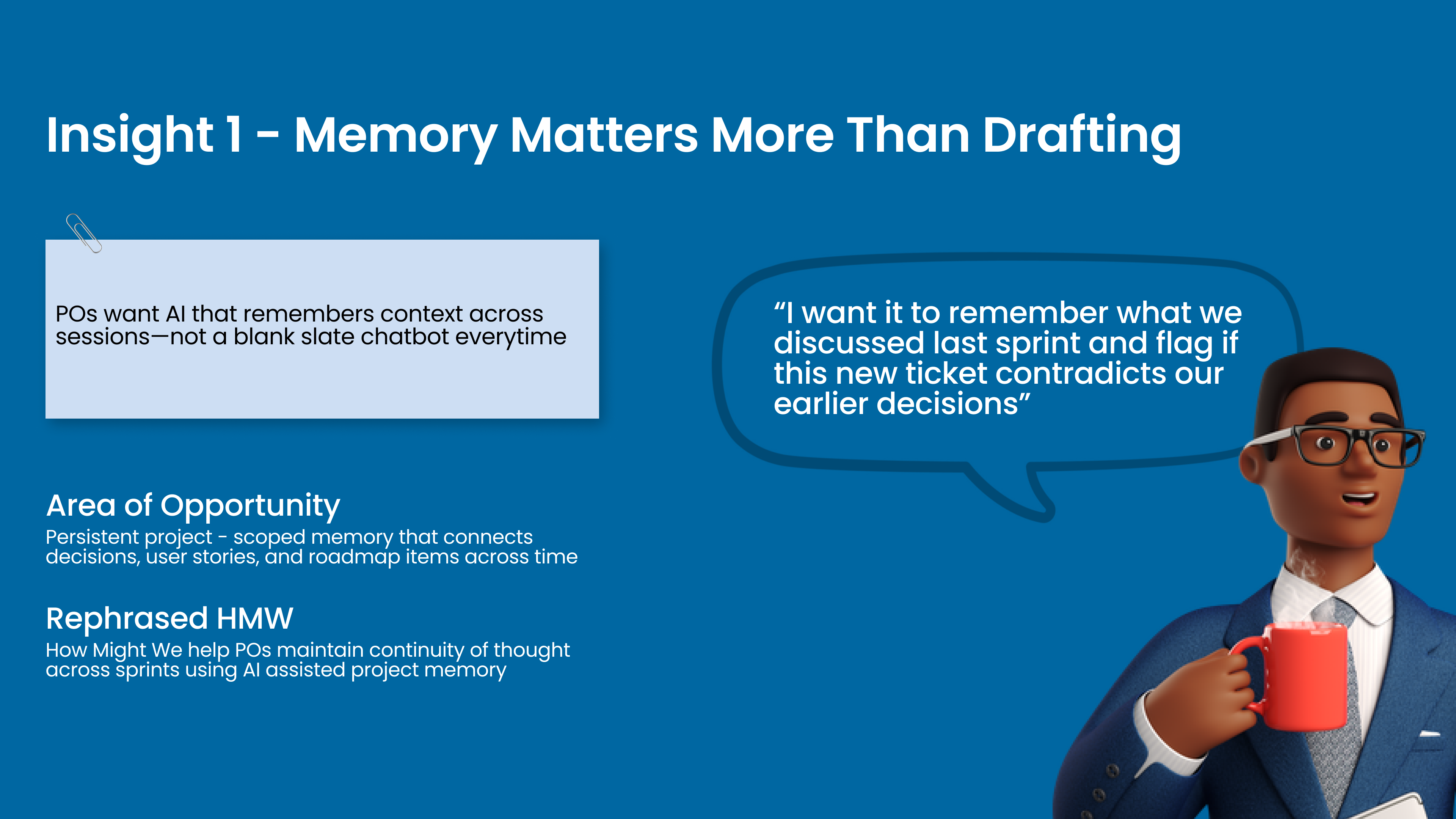
Insight 1 — Memory Matters More Than Drafting
Insight 1: POs want AI that remembers context across sessions — not a blank slate chatbot every time. Quote: 'I want it to remember what we discussed last sprint and flag if this new ticket contradicts our earlier decisions.' Area of Opportunity: Persistent project-scoped memory connecting decisions, user stories, and roadmap items across time. HMW: How might we help POs maintain continuity of thought across sprints using AI-assisted project memory?
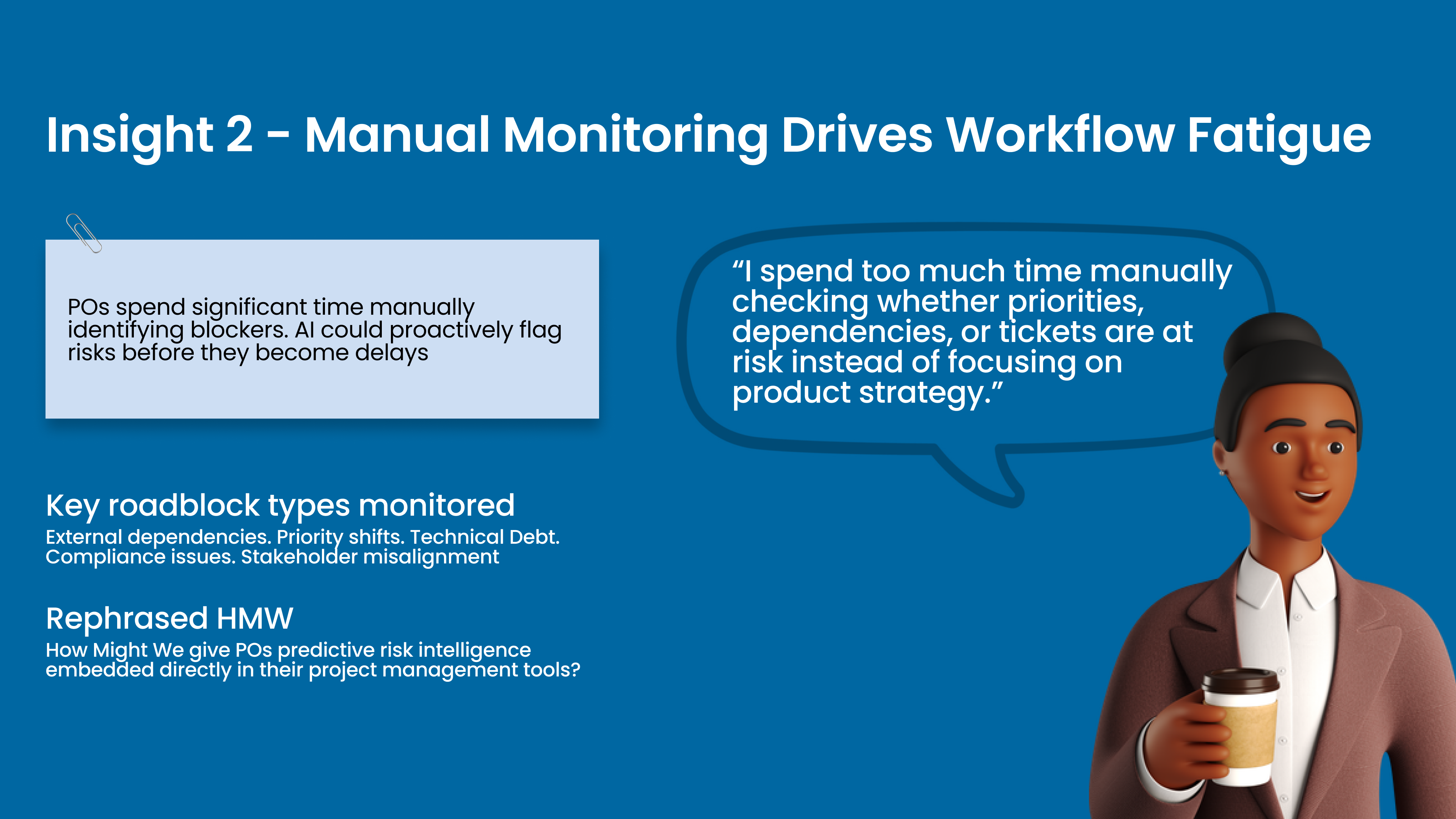
Insight 2 — Manual Monitoring Drives Workflow Fatigue
Insight 2: POs spend significant time manually identifying blockers. AI could proactively flag risks before they become delays. Quote: 'I spend too much time manually checking whether priorities, dependencies, or tickets are at risk instead of focusing on product strategy.' Key roadblock types: External dependencies, Priority shifts, Technical Debt, Compliance issues, Stakeholder misalignment. HMW: How might we give POs predictive risk intelligence embedded directly in their project management tools?
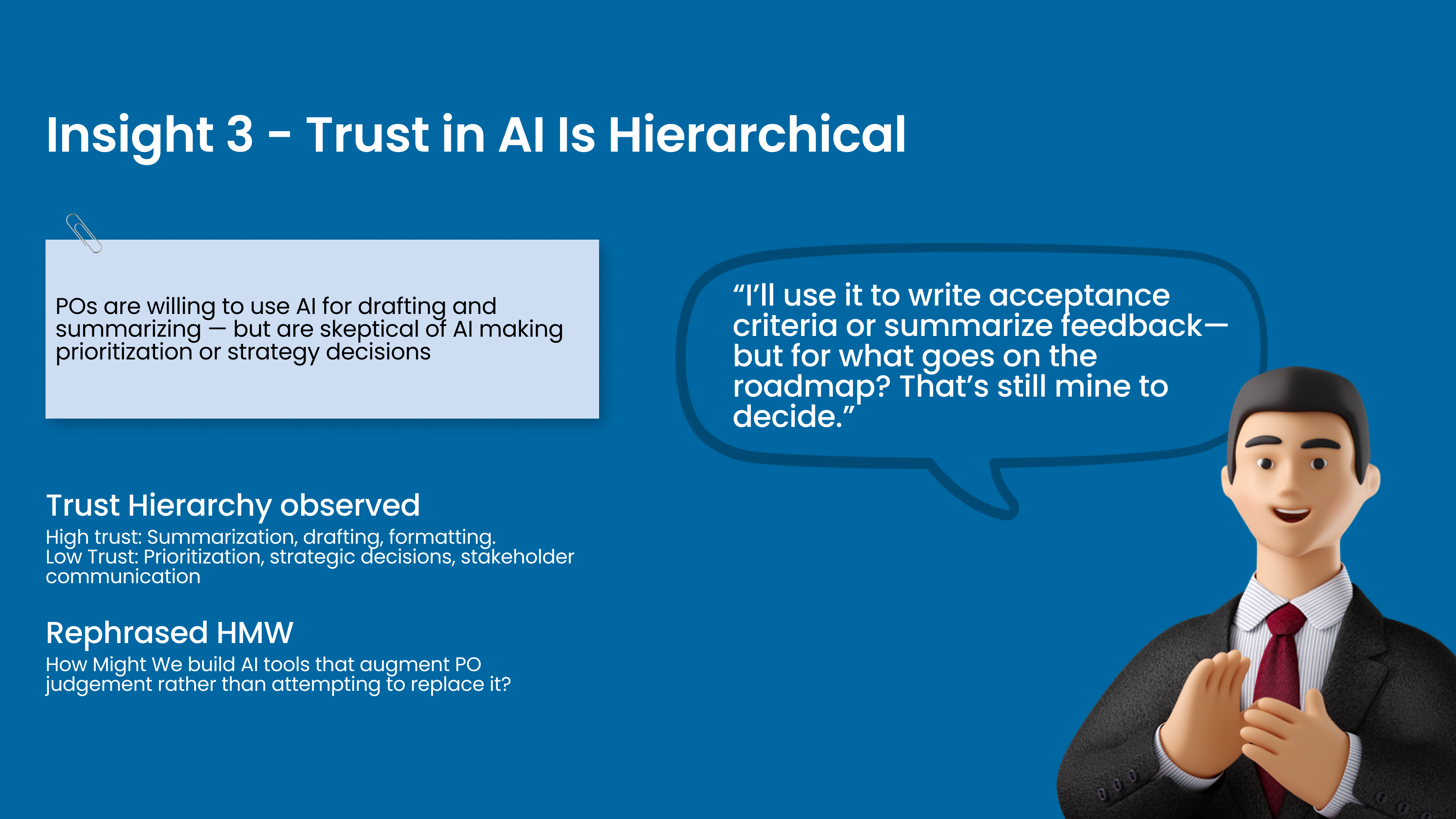
Insight 3 — Trust in AI Is Hierarchical
Insight 3: POs are willing to use AI for drafting and summarising — but are skeptical of AI making prioritisation or strategy decisions. Quote: 'I'll use it to write acceptance criteria or summarise feedback — but for what goes on the roadmap? That's still mine to decide.' Trust hierarchy: High trust — summarisation, drafting, formatting. Low trust — prioritisation, strategic decisions, stakeholder communication. HMW: How might we build AI tools that augment PO judgement rather than attempting to replace it?
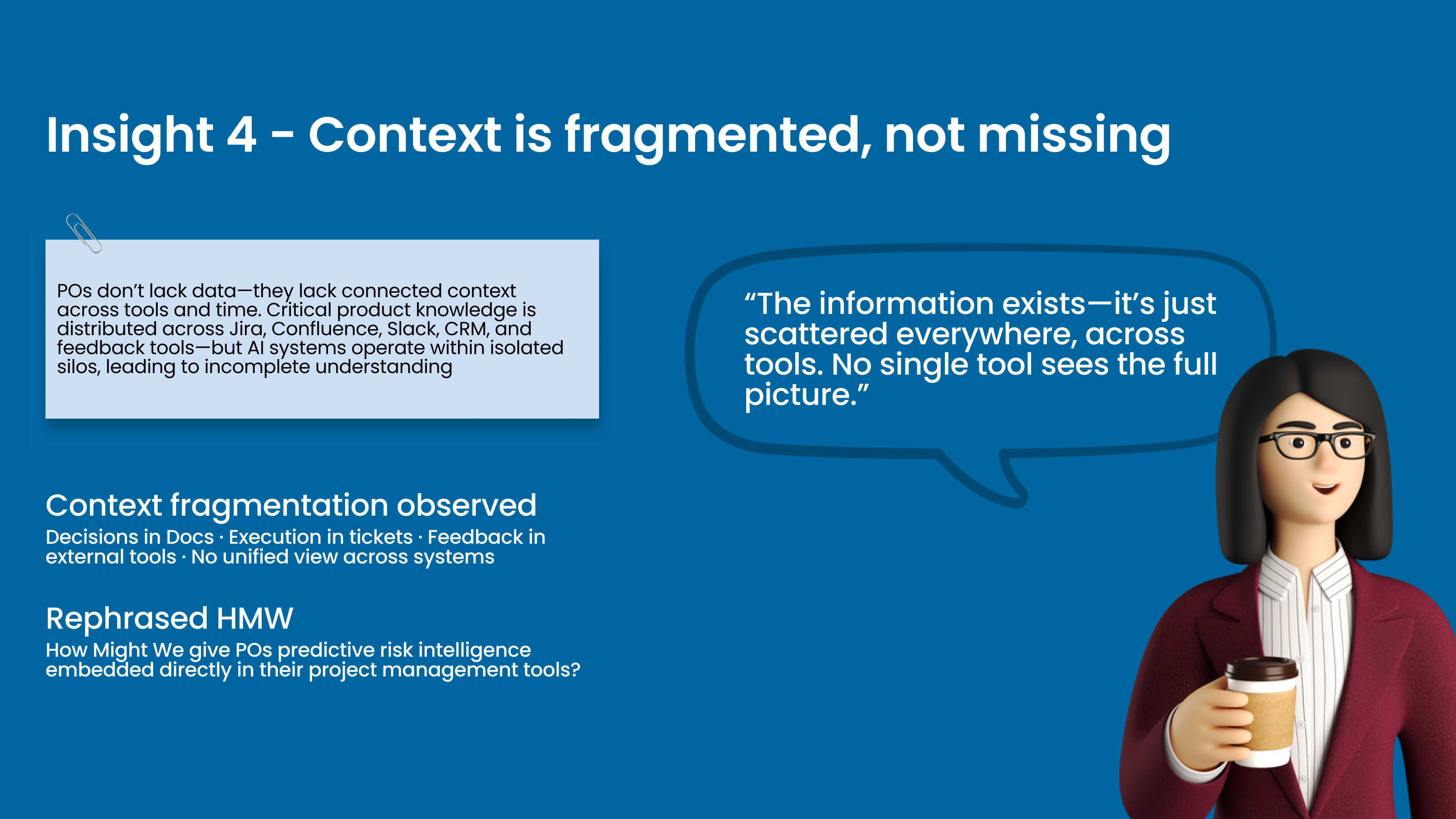
Insight 4 — Context Is Fragmented, Not Missing
Insight 4: POs don't lack data — they lack connected context across tools and time. Critical product knowledge is distributed across Jira, Confluence, Slack, CRM, and feedback tools — but AI systems operate within isolated silos. Quote: 'The information exists — it's just scattered everywhere, across tools. No single tool sees the full picture.' Context fragmentation observed: Decisions in Docs, Execution in tickets, Feedback in external tools, No unified view across systems.
Insight 5 — Product Thinking Is Translation, Not Creation
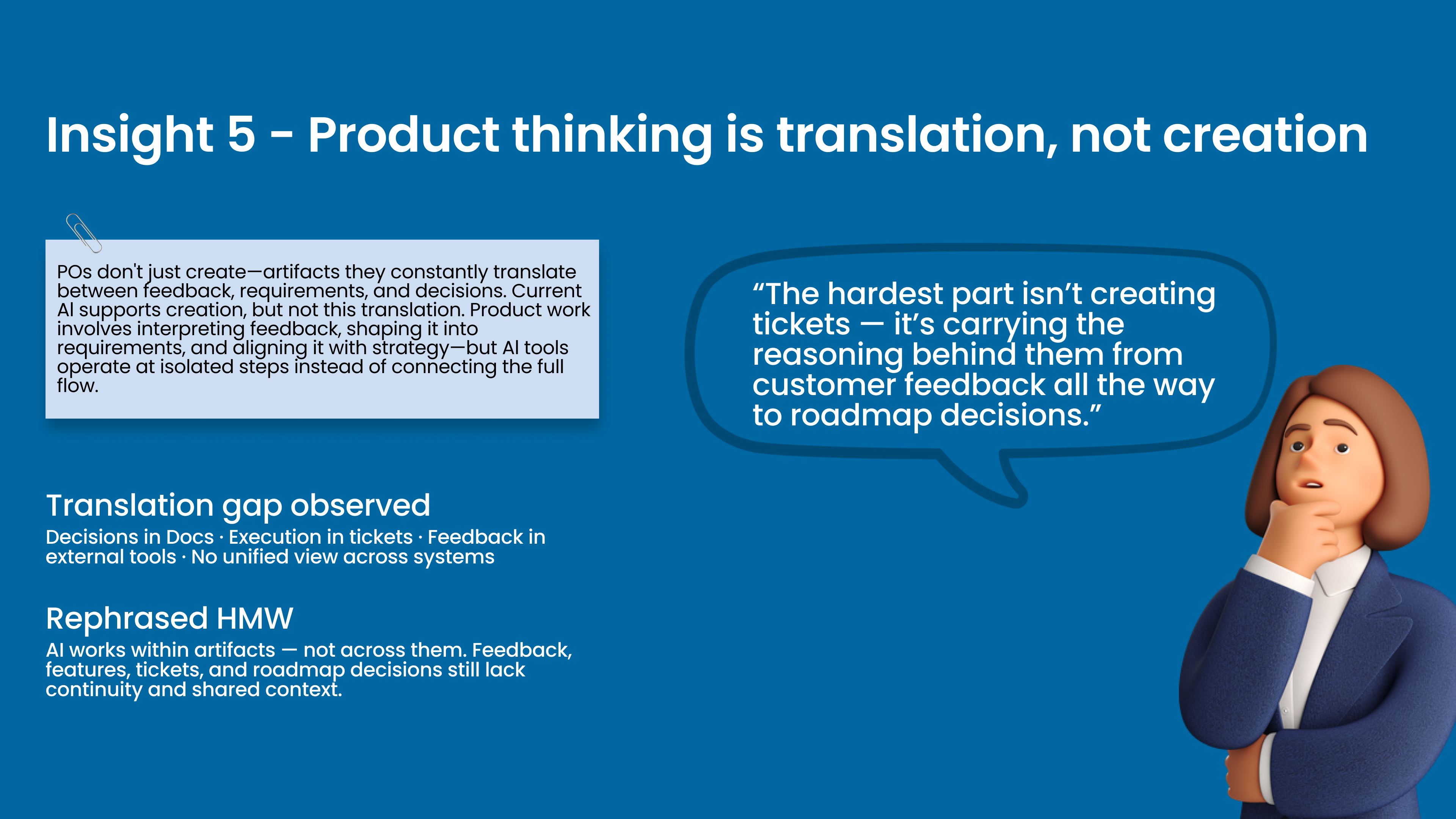
Insight 5: POs don't just create — they constantly translate between feedback, requirements, and decisions. Current AI supports creation but not this translation. Quote: 'The hardest part isn't creating tickets — it's carrying the reasoning behind them from customer feedback all the way to roadmap decisions.' HMW: AI works within artifacts — not across them. Feedback, features, tickets, and roadmap decisions still lack continuity and shared context.
07 — The Existing Standard

The baseline: Microsoft Copilot

Before evaluating any new tools, we had to understand what Product Owners already rely on — and why. Microsoft Copilot and similar embedded assistants represent the current baseline for AI in product workflows.

Built on 1,800+ pre-built connectors and natively integrated with Teams, SharePoint, Jira, and Confluence — Copilot is widely adopted for good reason.

Ecosystem Connectivity

1,800+ connectors — native links to Jira, Confluence, Slack, GitHub, and the full Microsoft 365 suite.

Enterprise Security & Governance

Compliance-ready with enterprise-grade data governance built into the Microsoft environment.

Low-Code Agent Building

Copilot Studio enables teams to build custom agents without deep engineering effort.

Cost-Effective Entry Point

~$200/month for 25,000 messages — a practical AI layer for most organisations to start with.

The most widely deployed AI assistant in enterprise product teams today. This isn't incidental — the Microsoft 365 integration story is genuinely strong, and for many organisations, Copilot is the natural first step into AI-assisted workflows.
Typical Use Cases
Automating IT/HR FAQs
Drafting meeting summaries
Quick in-tool Q&A
Task automation within Microsoft 365
08 — Limitations

But there's a ceiling

Copilot works well inside a single tool, within a known context. The moment a Product Owner's workflow spans multiple systems, sessions, or strategic decisions — Copilot starts to struggle.

Scope

Primarily restricted to internal Microsoft deployments (Teams, SharePoint). Cross-platform workflows are an afterthought, not a design principle.

Intelligence

Functions as a task bot, not a true AI agent. Excellent at summarisation and drafting — but cannot support complex, multi-step decision-making.

Language

Generalised language models struggle with domain-specific requirements. Ambiguous or conflicting product specs are handled poorly compared to specialised agents.

Memory

No persistent context across sessions. Each conversation starts fresh — creating the exact continuity gap POs feel most acutely in practice.

"

It's great for drafting my meeting notes — but it has no idea what we decided last sprint, or why. Every time, I'm starting from scratch.

— Theme from PO interviews

Our Assessment

Copilot is a strong productivity layer — but not a decision-support layer. That gap became the central question of this research.

09 — The Gap

From assistant to advisor

Copilot tools improve productivity — but they stop short of supporting real decisions. In practice, this gap becomes critical.

01
Starting point
What Copilot tools do well

Draft. Summarise. Reformat. Useful for discrete, known tasks within a single tool context.

02
Where it breaks
The boundary

Complex decisions. Ambiguity. Cross-tool context. Sprint continuity. The moment a PO needs to connect dots across systems or sessions, these tools stop helping.

03
Consequence
POs bridge it manually

POs are left to manually connect context, memory, and strategic judgment across their own tool stack. The AI assists with outputs — the human does the work of connecting them.

04
This led us to
The question we evaluated against

Which tools actually cross this gap — and which ones only promise to? We evaluated emerging tools against a higher standard: context-aware AI that can genuinely support decisions.

10 — RAG Explained

What is RAG — and why does it matter?

Standard AI models are trained on general knowledge — they generate responses from what they've learned, but they don't know your product, your decisions, or your context.

Think of it as the difference between asking a knowledgeable stranger for product advice — versus asking a colleague who has read every Jira ticket, Confluence page, and sprint retro in your project.

RAG — Retrieval-Augmented Generation

Instead of relying purely on training data, a RAG system actively retrieves relevant information at the moment of a query — then uses that retrieved context to generate a grounded, specific response.

User Query

"Why did we deprioritise the notifications feature last sprint?"

Retrieval

AI fetches the relevant sprint notes, decision log, and Jira ticket history.

Grounded Response

"It was deprioritised due to a dependency on the auth module — flagged in sprint 14 retro."

11 — RAG in Context

Why RAG is the right lens for PO workflows

The difference between a generic AI response and a useful one comes down to context retrieval. The same prompt produces fundamentally different outputs depending on whether the tool can access your actual product data.

Query ✕ Without RAG ✓ With RAG
"Summarise our backlog priorities" Generic advice on backlog grooming best practices. Surfaces the top 5 tickets ranked by your team's actual scoring criteria, with blockers highlighted.
"Is this new feature aligned with our roadmap?" Generates a generic alignment checklist. No knowledge of your actual roadmap. Cross-references the feature against your current OKRs, previous decisions, and open dependencies.
"Draft release notes for this sprint" Template-style output. No reference to actual ticket outcomes or team decisions. Pulls from closed tickets, links to decisions made, and flags what was intentionally deferred.
For POs, context is the work. An AI that can't retrieve and connect that context isn't supporting product decisions — it's just generating text.
12 — Evaluation Framework

RAG maturity as our evaluation criterion

We realised early that evaluating tools purely on features — "does it draft user stories?" — missed the deeper question: how does it know what to draft? RAG maturity became our primary lens because it determines whether an AI can actually support PO decision-making — or just produce plausible-sounding text.

Level 1
No retrieval. Outputs based on training data only. Generic and context-free.
Level 2
Basic retrieval within a single tool ecosystem. Context-aware but silo-bound.
Level 3
Cross-tool, cross-session retrieval. Connects information across the full PO workflow stack.
The Evaluation Question

"When this tool generates an output — does it know your product, your decisions, and your context? Or is it just a well-dressed guess?"

Why This Matters

The tools that scored highest on RAG maturity were also the ones POs trusted most in real workflows — because the outputs felt grounded, not generic.

13 — Tool Categories

Two layers of AI

The tools evaluated fall into two structurally different categories, each reflecting a different relationship with the Product Owner's workflow. Treating them as equivalent would be a category error.

Layer 1
Workflow-Embedded AI

Tools integrated directly inside the environments POs use every day — Jira, Asana, ClickUp, Productboard. They act on tasks, requirements, and feedback within the workflow.

Asana AI Atlassian Rovo ClickUp AI Productboard ProdPad
Evaluated on: drafting, integration depth, requirement refinement, duplicate detection, pricing
Layer 2
Agent & AI Infrastructure

Platforms used to build, configure, and orchestrate AI agents across systems. Infrastructure layers — they make deeper agentic capabilities possible, but require setup.

Agentforce Watsonx Botpress Vertex AI Bedrock Zapier Stack AI
Evaluated on: RAG model strength, cross-platform reach, Jira/Confluence integrations, pricing model
This separation matters because it reflects two different questions: What can POs use today? And what does the emerging AI infrastructure make possible?
14 — Layer 1 Evaluation

Layer 1 — Workflow-Embedded AI tools

Evaluated on PO-relevant workflow dimensions: integration depth, drafting capability, requirement intelligence, and pricing.

Dimension Asana AI Atlassian Rovo ClickUp AI Productboard ProdPad CoPilot
Jira & Confluence Integration
Via connectors
Native / Seamless
ClickUp native only
Feedback sync
Bi-directional
Drafting & Requirement Refinement
Briefs, updates, overviews
Specs, release notes, summaries
Task & doc drafting
Feedback → features
User stories & ACs
Duplicate / Vague Req Detection
Flags missing context
Knowledge Graph dedup
Basic prompting only
Auto-flags duplicates
Search-based only
Test Case Generation
Not available
Ticket creation
No built-in support
Not available
Via AI prompts
Price (per user/mo) $10.99–$24.99 ~$20–$24 $5–$7 add-on ~$20 ~$25
Strong
Partial
Weak / Absent
Key Pattern

Rovo leads on integration and context depth; Productboard excels at feedback-to-feature intelligence. No tool in this layer provides strong test case generation — a consistent gap across the board.

15 — Layer 1 Limitations

But workflow tools have a ceiling

Layer 1 tools are valuable — they fit into PO workflows with minimal friction. But they are ultimately bounded by the ecosystem they live in. Their intelligence is constrained to what that platform knows.

What if you needed to build an AI layer that could reach across your entire product stack — Jira, Confluence, Slack, CRM, support tickets — and retrieve context from all of it? That requires a fundamentally different level of RAG maturity.

That's the territory of Layer 2: agent and AI infrastructure platforms. Not plug-and-play tools — they require configuration and setup. But they expose capabilities that Layer 1 tools can't reach.

Layer 1 tools ask

"What can the AI do inside this app?"

Layer 2 tools ask

"What can the AI do when it has access to everything?"

Why This Matters for POs

The gap between what a PO needs and what current tools deliver is largely a RAG maturity gap. Understanding the infrastructure layer reveals what is technically possible — and what the next generation of PM tools should aspire to.

16 — Layer 2 Tools

Tool spotlights: agentic AI systems

Eight platforms evaluated across RAG depth, cross-system reach, and enterprise readiness.

Salesforce Agentforce

AI agent builder deeply embedded within Salesforce CRM. Uses customer data to automate specialised workflows like lead qualification and support resolution.

CRM-grounded AI tailored for customer data.
IBM watsonx Assistant

Enterprise-grade conversational AI emphasising NLU and explainability. Highly secure and built for scale in strict corporate environments.

Compliance and explainability for regulated industries.
Botpress

GPT-powered platform supporting visual flow design. Highly customisable RAG model allowing granular control over what knowledge the bot ingests.

Visual flow design for developers needing hands-on control.
Google Vertex AI Agents

Part of Google Cloud's ML suite offering low-code agent building. Excellent native RAG strength with advanced search and vector pipelines.

Advanced search pipelines for custom architecture.
Zapier Agents

Action-driven conversational agents with built-in automation across 7,000+ apps. Exceptional at triggering workflows but limited in deep RAG capability.

High-volume action execution over deep retrieval.
Stack AI

No-code platform delivering high-quality RAG. Auto-syncs seamlessly with external storage hubs like SharePoint, Google Drive, Notion, and Salesforce.

Seamless auto-syncing with external enterprise storage.
Amazon Bedrock / Q

Robust enterprise AI agent builder with solid RAG infrastructure, provided the organisation's backend and data lake already reside within AWS.

Ideal for teams operating deeply within the AWS ecosystem.
ServiceNow AI Agents

Specialised workflow AI tailored for internal service management and HR. Features one of the strongest RAG setups for internal support tasks without extra tools.

Highly specialised for internal service workflows.
17 — Layer 2 Evaluation

Layer 2 — Agent & AI infrastructure

Evaluated on RAG maturity, cross-platform reach, and integration with core PO tools — 7 platforms.

Platform RAG Model Strength Jira Integration Confluence Integration Price
Salesforce Agentforce
Salesforce Data Cloud grounding
Via MuleSoft or 3rd-party (Exalate) No native support; needs middleware $2 / conversation
IBM Watsonx Assistant
Great for actions; RAG via watsonx.data
Starter kits (bi-directional handoff) No direct support; via Discovery Tiered pricing
Botpress
Solid via Knowledge Bases
Via Pipedream or similar connectors Via @botpresshub/confluence module Pay-as-you-go
Google Vertex AI Agents
Search & vector pipelines
Native support via Make/Infin No first-party support; HTTP API only Usage-based
Zapier Agents
Good for actions; RAG limited
Fully integrated no-code app Via Zapier MCP interface Free (Beta) / $40+
Stack AI
Auto-syncs SharePoint, Drive+
Flexible via API/Zapier/Pipedream Built-in Confluence Node integration $199/mo+
Amazon Bedrock / Q
Best if data is on AWS
No native Jira integration No native Confluence support $20/mo + usage
ServiceNow AI Agents
Strong RAG for internal support
Bi-directional out-of-the-box connectors No direct out-of-the-box support Pro/Enterprise add-on
Strong
Partial
Weak / Absent
Key Pattern

Agentforce, Vertex AI, Stack AI, and ServiceNow lead on RAG depth. But none offer seamless out-of-the-box Jira + Confluence coverage. Layer 2 tools trade ease-of-use for power — and that trade-off has direct implications for PO adoption.

18 — Copilot Studio Deep-Dive

Where does Copilot Studio stand?

Microsoft Copilot Studio
Overview

Microsoft Copilot Studio distinguishes itself from competitors like Stack AI, Zapier AI Agents, Google Vertex Agent Builder, and Amazon Q by offering a deeply integrated, low-code environment within the Microsoft 365 ecosystem.

RAG Model Strength

Currently limited — Copilot Studio doesn't support out-of-the-box RAG-based grounding on web or open knowledge. It can retrieve from internal documents (like SharePoint), but lacks advanced document ranking, vector embeddings, or hybrid retrieval that tools like Stack AI or Vertex AI enable.

Price Point

Bundled with Microsoft Copilot licenses (M365 E3/E5 + Copilot license). Additional Power Platform costs for advanced workflows.

Jira Integrations

Achieved via Power Automate connectors, enabling calls to Jira API for retrieving/updating issues or transactional workflows.

Confluence Integrations

Via Power Automate HTTP connector, with ability to search pages or ingest content.

Knowledge Base Format Support
Supports SharePoint docs, Word, Excel, Power BI, Dataverse, etc. No direct web crawling.
Use-case Strengths
Enterprise operations, HR, IT service desks, finance, legal, project automation.
NLU (Natural Language Understanding)
Good for task-based prompts, but may not fully support open-ended or ambiguous queries.
19 — Conclusion

AI's current role in product workflows

Synthesising the evaluations across workflows reveals a clear boundary — not in what AI can do, but in what it understands.

Where it is useful
Supporting execution within workflows

AI tools consistently perform well when:

  • Drafting user stories, PRDs, and updates
  • Summarising feedback and discussions
  • Operating within a single tool's context

These capabilities make AI an effective productivity layer embedded within workflows.

Where it breaks down
Connecting context and supporting decisions

AI struggles when tasks require:

  • Persistent memory across sprints
  • Connecting information across tools (Jira, Confluence, Slack, CRM)
  • Translating feedback into strategic product decisions

These gaps stem from fragmented context, limited retrieval across systems, and a lack of grounding in real product history.

20 — Final Verdict

What this ultimately comes down to

The final verdict

"AI today operates within workflows — while product thinking operates across them."

What this ultimately comes down to

Across tools, the key differentiator was not capability — but how well AI retrieves and grounds its outputs in real product data. Systems with limited retrieval produce generic, context-free outputs. Those with stronger grounding generate responses tied to actual workflows and decisions.

This is not just a feature gap — it is a difference in RAG maturity.

The implication

Product Owners still carry the cognitive work of connecting fragmented context, interpreting feedback across sources, and making decisions. AI can assist in executing tasks, but it does not yet support how product thinking actually happens.

21 — Strategic Direction

Strategic direction

Our evaluation matrix reveals a critical market void: Product Owners are currently forced to choose between the seamless UX of Layer 1 tools (which lack deep project memory) and the robust RAG power of Layer 2 platforms (which lack out-of-the-box Jira/Confluence integration). To bridge this gap, future AI product development must focus on:

01
Unified Toolchain RAG

Moving beyond isolated chatbots to architectures that natively cross-reference Jira tickets, Confluence specs, and Slack decisions.

02
Context Over Generation

Shifting AI product value from "drafting text" to autonomously mapping dependencies and flagging sprint risks.

03
Turnkey Infrastructure

Transforming developer-heavy agent platforms into no-code, workflow-embedded solutions for business operations.

The UX Mandate

To gain true adoption, AI products must stop asking Product Owners to manage the AI itself. The real opportunity lies in invisible, system-level intelligence that connects the dots across fragmented workflows without ever needing a prompt.